
Profile, section by section
What's on the Profile tab, from your name and home base to appearance, pace, premium, security, support and legal.
Profile is the third tab. It's the same list for everyone, except that some rows need an account, and the premium rows only appear for premium travellers.
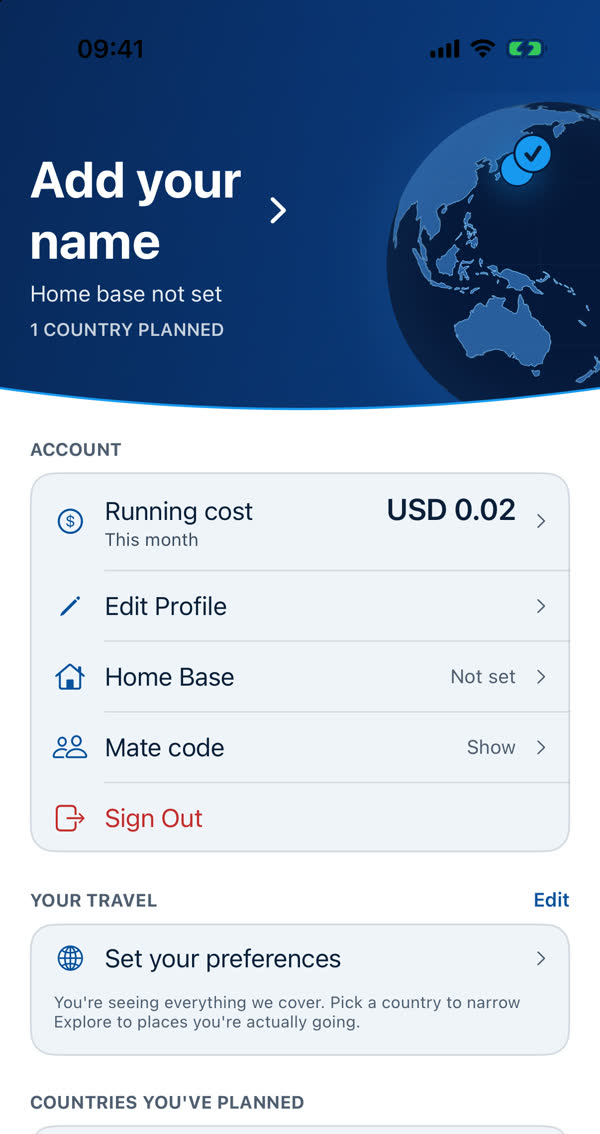
The header
Your name (tap to add or edit it), your home base, and a count such as "1 country planned" beside a small globe. Founding members see a Founding member mark here.
Account Needs an account
- Running cost, what this month has cost to run for you. See Running cost, line by line.
- Edit Profile, your name and details.
- Home Base, where you start and end trips. See Home Base.
- Mate code. See Your mate code.
- Sign Out. See Signing in and having an account.
Your travel
The countries and interests you chose. See Your travel preferences.
Countries you've planned
A stamp for every country where you've planned a day, and the globe above. See Your globe and country stamps.
App
- Appearance: light, dark or follow your phone. It's remembered.
- Notifications Needs an account. See Notifications.
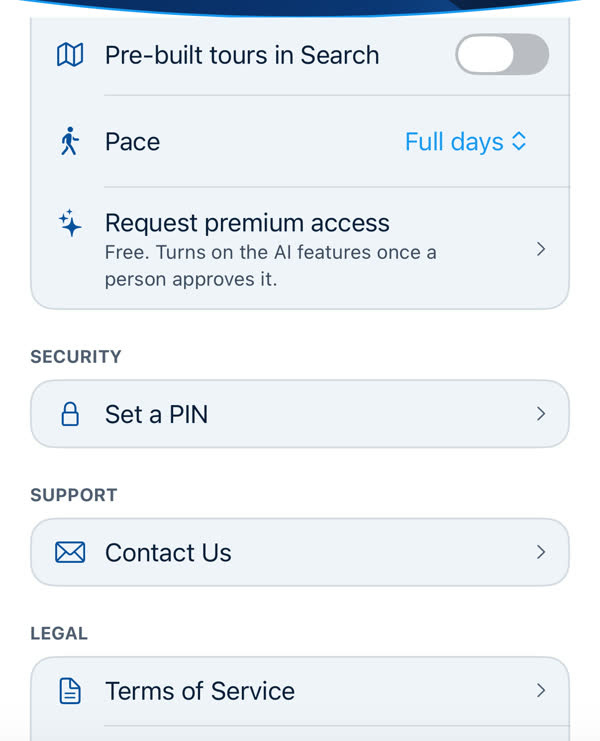
- Pre-built tours in Search. See Pre-built tours in Search.
- Pace: Full days or Relaxed. Relaxed plans fewer stops, up to three, and a shorter day, so there's more room. Changing it affects the next plan you build.
- Request premium access, and for premium travellers the AI assistance and Weather forecasts switches. See What premium is.
Security Needs an account
Set a PIN, and Face ID or Touch ID. See App Lock: PIN, Face ID and Touch ID.
Support and Legal
- Help Center and Contact Us. See Contacting us.
- Terms of Service, Privacy Policy and Information Sources.
Danger Zone
The last section before the version holds the two things that can't be undone, kept apart so you can't tap them by accident. Each asks you to confirm first.
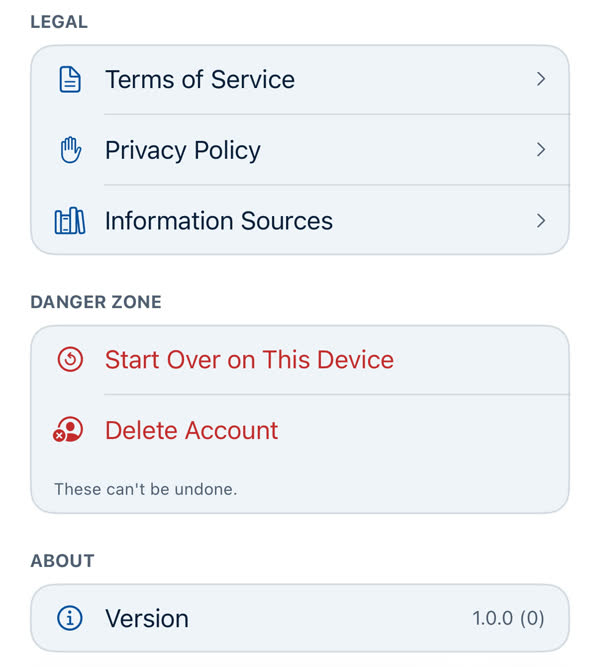
- Start Over on This Device. See Start Over on This Device.
- Delete Account Needs an account. See Deleting your account.
About
The app's version and build. Include it when you write to us.
Something missing or wrong on this page? Tell us. A person reads every message. Updated 11 October 2026.