
Reading a day
How a day is laid out: the header, your day in order, the time between stops, lunch, where you sleep, and what the notes at the bottom mean. Needs an account
Tap Preview plan on a trip, or a day on the schedule, to open the day screen. Swipe sideways to move to the next day. The dots near the bottom show how many days there are and where you are.
The header
- The day's number and date, such as "DAY 2 · 15TH APRIL", and its area.
- A line like "Day 2 of 10 · night 2 of 2 · 2 stops", so you know where you are in the trip and in your stay.
- A pill at the top reading DAY 2 · DRAFT. Draft means no schedule has been built yet. See Build your schedule.
- The photo credit, where the licence asks for one.
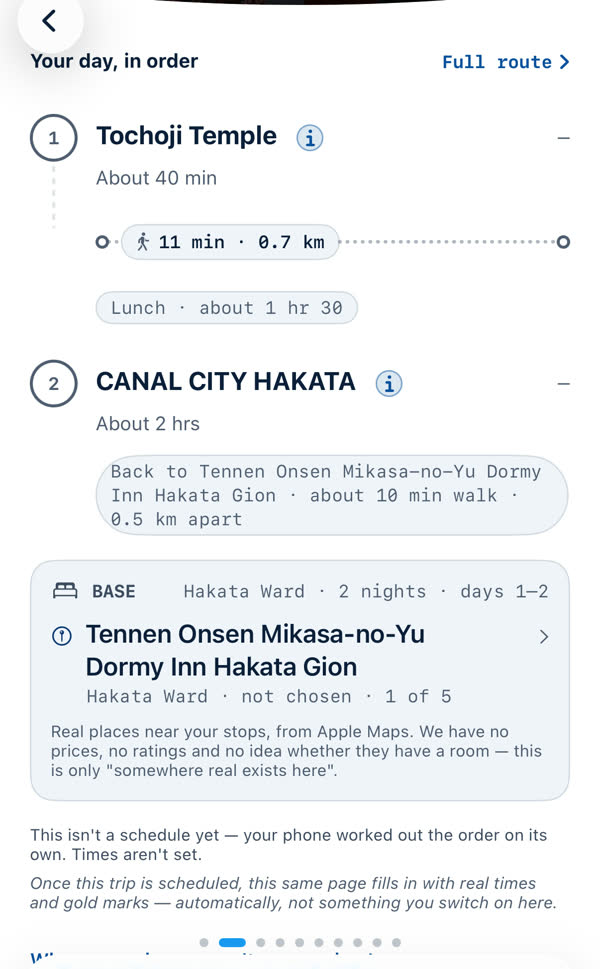
"Your day, in order"
- The stops are numbered, each with about how long to allow, such as "About 40 min". The i button opens the place's details.
- Between stops a small pill gives the way and the time and distance: "11 min · 0.7 km" with a walking figure. Where only a distance is known it says how far apart the two are.
- Lunch sits where the day needs it, shown as Lunch · about 1 hr 30. It's time spent, not a stop. With premium it opens an adviser. See Lunch advice.
- Back to the hotel. The last line says how far it is back to where you sleep.
Base
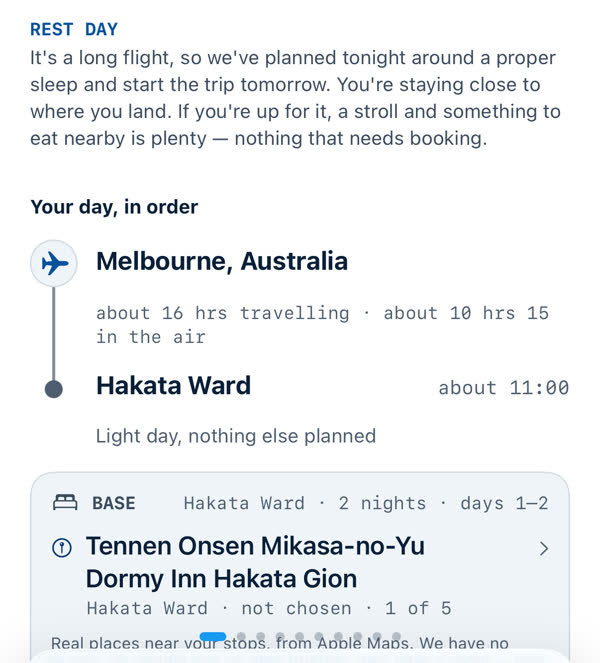
The Base card is where you sleep: the area, the number of nights, the days it covers, and a hotel suggestion. The app says plainly what that is: "Real places near your stops, from Apple Maps. We have no prices, no ratings and no idea whether they have a room." See Where you sleep.
The notes at the bottom
- Before a schedule: "This isn't a schedule yet — your phone worked out the order on its own. Times aren't set." After you build one, the same page fills in with real times and gold marks, automatically.
- Why some places aren't on any day explains places left out. See Why a place isn't on a day, and why a day looks empty.
Buttons
- Back returns to the trip.
- Full route shows the whole day on a map.
- The day pill at the top switches days.
Special days
Travel days, rest days after a long flight and days out from a base look a little different. See Travel days and rest days.
Days with room in them offer an adviser. See Day ideas for a free day.
Something missing or wrong on this page? Tell us. A person reads every message. Updated 11 October 2026.