
Inviting a trip mate
From your trip's menu, enter your friend's mate code, check their name and send the invitation. It travels inside the app. Needs an account
Only the organiser, the person who made the trip, can invite. Ask your friend for their mate code first.
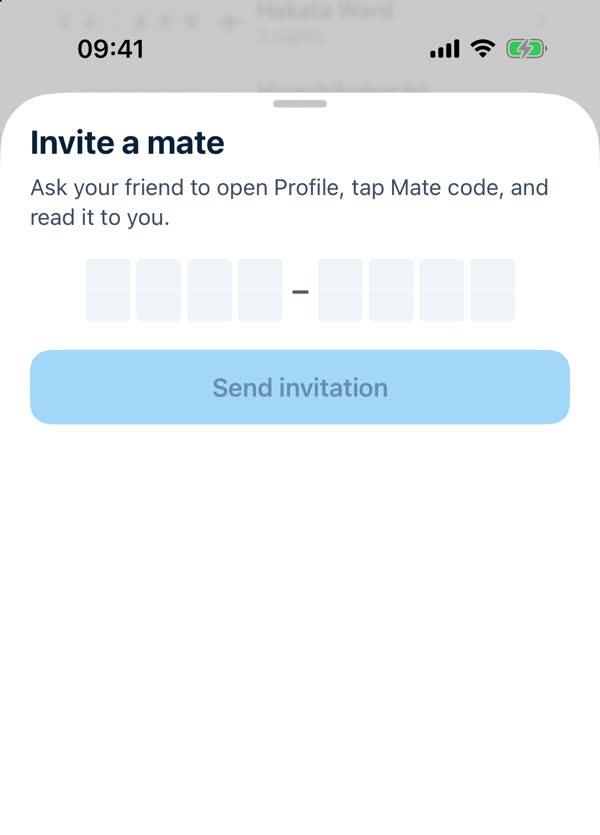
- Open the trip and tap ••• at the top right, then Invite mates.
- Type the code. The sheet says "Ask your friend to open Profile, tap Mate code, and read it to you." It has eight boxes in two groups of four. A code pasted from a message is picked out for you.
- Check the name. When the code is right the app shows your friend's name, so you know it's the right person.
- Tap Send invitation. It arrives inside the app, and your friend gets a notification if they've turned notifications on.
After you send it
- The trip shows Who's going, with the invitation pending. Only you see pending and declined invitations.
- An invitation waits 14 days for an answer, and you can send one person at most 3 invitations for one trip.
- You can cancel an invitation that's still waiting, and you can remove a mate later.
- A pending invitation holds one of the trip's seats, up to 8 people including you.
If the code doesn't work
- A code lasts 24 hours. Ask your friend to make a new one.
- Check you've typed it exactly. Letters and numbers matter.
- If you've tried many codes in a short time you'll see "Too many tries — wait an hour".
More: Trip mate limits and Trip mates not working?.
Something missing or wrong on this page? Tell us. A person reads every message. Updated 11 October 2026.