
Planning with trip mates
One person organises and plans. Friends join by invitation, see who's going, and add places. Here's the whole picture. Needs an account
Trip mates let a group plan one trip together without a group chat full of screenshots. The idea is simple: one person organises, everyone else adds places.
The roles
| Organiser | Trip mate | |
|---|---|---|
| Who | The person who made the trip | Anyone they invite who accepts |
| See the plan, days and schedule | Yes | Yes |
| See who's going | Yes, including pending and declined invitations | Yes, the people who accepted |
| Add places | Yes | Yes. They land on the trip marked "Added by <name>" |
| Auto-plan, dates, order, schedule, rename, invite, delete | Yes | No. Only the organiser plans |
How it works, in four steps
- Your friend makes a mate code. In their Profile → Account → Mate code. It works for 24 hours. See Your mate code.
- You invite them. From your trip's ••• menu, Invite mates, type their code, check their name, Send invitation. See Inviting a trip mate.
- They accept. They get a notification and an invitation waiting in the app. See Accepting an invitation and joining a trip.
- Everyone sees who's going, and mates add places for the organiser to plan around. See What trip mates can and can't do.
Jump to a step
Read the transcript
- To join a friend's trip, start in your own Profile. Under Account, tap Mate code.
- This is your mate code. It works for twenty-four hours. Read it to the friend who is organising the trip. You can also share it, or stop it if you change your mind.
- If you're the organiser, open your trip and choose Invite mates from the menu.
- Type the code your friend reads out. The app shows their name so you know it's the right person, and then you tap Send invitation. It travels inside the app, with no links.
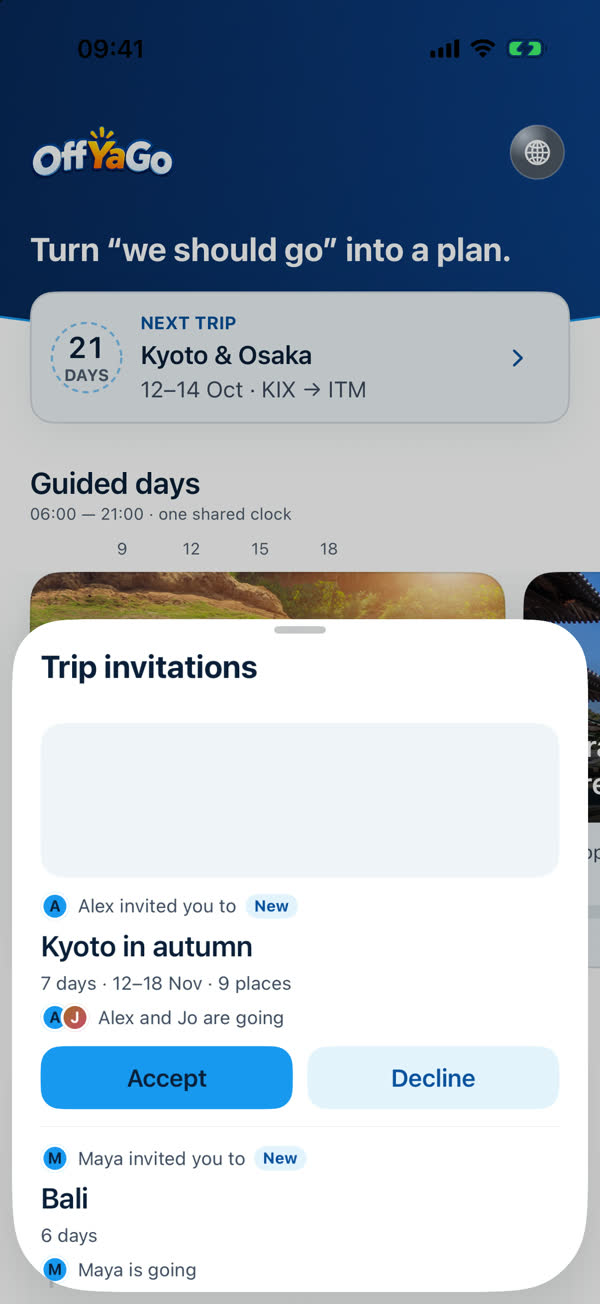
- Your friend sees the invitation here, with who's going, and chooses Accept or Decline. Once they accept, the trip appears in their Trips tab, and everyone sees who's going.
What it doesn't do
- No links. An invitation is sent inside the app. There are no invite links to forward, so it can only reach someone who gave you a code.
- No approval step. A mate's place goes straight onto the trip, and the organiser removes anything they don't want.
- No handing over. The organiser role can't be passed to a mate in this version.
Privacy
Mates see a name you choose, never your email. They see the trip's plan and schedule, but not facts the organiser checked online with AI, which are for the person who asked. Trips are shared between people who know each other, and the invitation says so. See Trip mate limits.
Something missing or wrong on this page? Tell us. A person reads every message. Updated 11 October 2026.